Desk Cluster Analysis
We evaluate how desk groupings affect movement patterns, screen glare, and access to shared resources like printers and supply stations.
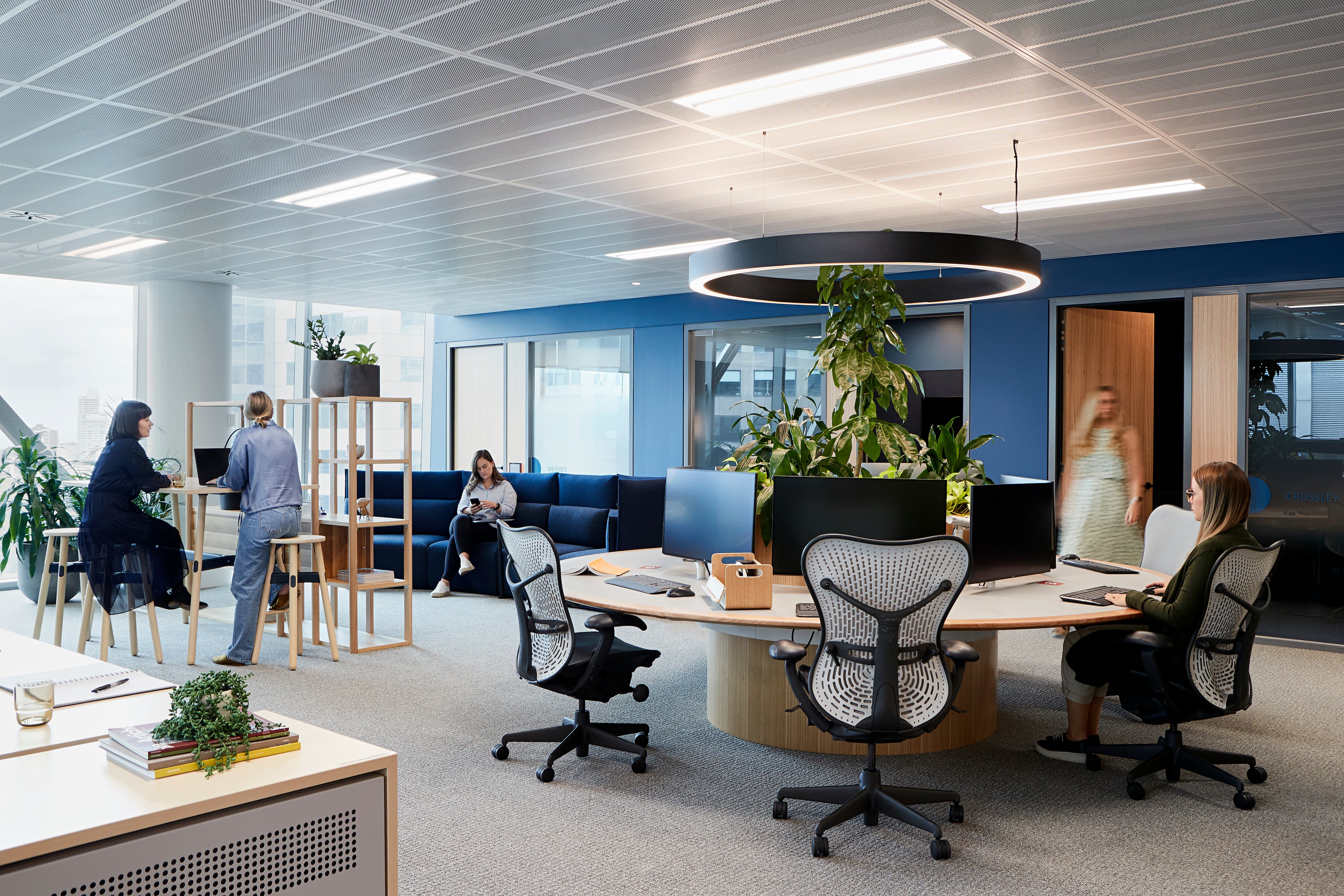
From open-plan floors to private offices, we analyze spatial arrangements and equipment placement to help teams work more effectively. All guidance remains general and educational in nature.
We evaluate how desk groupings affect movement patterns, screen glare, and access to shared resources like printers and supply stations.
Identifying high-traffic corridors and potential bottlenecks helps reduce unnecessary reaching and awkward body positioning during daily tasks.
Window proximity and artificial lighting placement influence screen visibility and visual clarity. We document current conditions and suggest adjustments.
Noise levels and sound reflection can affect concentration. We note environmental factors that may complement your existing acoustic treatments.
Organizations with hybrid policies often struggle to maintain consistent ergonomic standards across locations. We develop reference frameworks that employees can adapt to both environments.
Our workspace review tool evaluates twelve layout factors across both locations, producing a side-by-side comparison report your team can act on independently.
This tool provides informational scoring only and does not evaluate personal circumstances or physical capability.
Key features to evaluate when choosing task chairs: seat depth adjustment, lumbar support range, armrest configurability, and material breathability for extended use periods.
We describe functional categories rather than promoting specific brands or models.
Standing desks and sit-stand converters offer flexibility, but proper use involves alternating positions throughout the day. We outline transition schedules and surface height calculations based on user stature.
Elevating screens to eye level reduces neck tilt during focused work. We compare mounting options, weight capacities, and cable management features for various desk configurations.
We teach employees to recognize when their body position shifts during long work sessions — a skill that supports self-directed adjustment throughout the day.
A visual guide showing approximate joint angles and spinal alignment during seated work, intended as a general reference rather than a rigid standard.
Suggestions for integrating brief position changes into existing workflows — standing during phone calls, walking meetings, or scheduled stretch breaks.
Screen height, seating arrangement, and presenter positioning for rooms where extended viewing sessions occur.
Compact collaboration zones benefit from flexible seating and accessible whiteboard placement at varied heights.
Encouraging genuine breaks from desk work supports a more supportive workplace culture without requiring structured programs.
Photograph each workstation zone and record existing equipment inventory with model details where available.
Rank zones by employee feedback volume and observed usage patterns to focus initial improvement efforts.
Implement no-cost changes first — monitor height, chair settings, keyboard tray position — before purchasing new equipment.
Reassess after four to six weeks to capture employee feedback and refine remaining action items.
A creative agency with 45 employees relocated to a loft-style office in Chelsea. Before committing to furniture purchases, they engaged us to review the open floor plan, identify glare issues near south-facing windows, and establish desk spacing standards.
Our report highlighted three zones requiring monitor repositioning, recommended adjustable monitor arms for shared bench desks, and provided a team workshop on posture awareness during long editing sessions.
This example describes an educational engagement. Progress depends on individual implementation and workplace conditions.
Single-floor review with written summary. Suitable for teams up to 15 workstations.
InquireMulti-floor evaluation, team workshop, and 30-day follow-up session. Designed for organizations with 15 to 75 employees.
InquireOngoing consultation retainer with quarterly reviews, new hire setup guides, and policy document development.
InquirePrintable desk configuration reference
Short tutorials on chair adjustment
Weekly workspace self-review
Tell us about your office environment and we will outline how our consultation process can support your team.